 Tabula
Custom reports for Shopify
The report you need.Every Monday, by itself.
Tabula turns your orders, products, stock and customers into the reports you use: sales by product, profit, stock value, order exports. Download CSV or Excel, or get them on a schedule.
Free to run every report. Pro is $7.99 a month on every Shopify plan, with a 14-day trial.
Reports should not take an afternoon
Shopify has your data. Getting it into the shape you need is the slow part.
The export has the wrong columns
Shopify's order export gives you its own columns. You delete half of them, then add up the rest by hand every month.
The same report, every Monday
Last week's sales by product, last month's tax, this week's orders to ship. Each one is the same clicks, again.
Report apps priced by your plan
The big report apps charge more as your Shopify plan grows, up to hundreds of dollars a month.
How it works
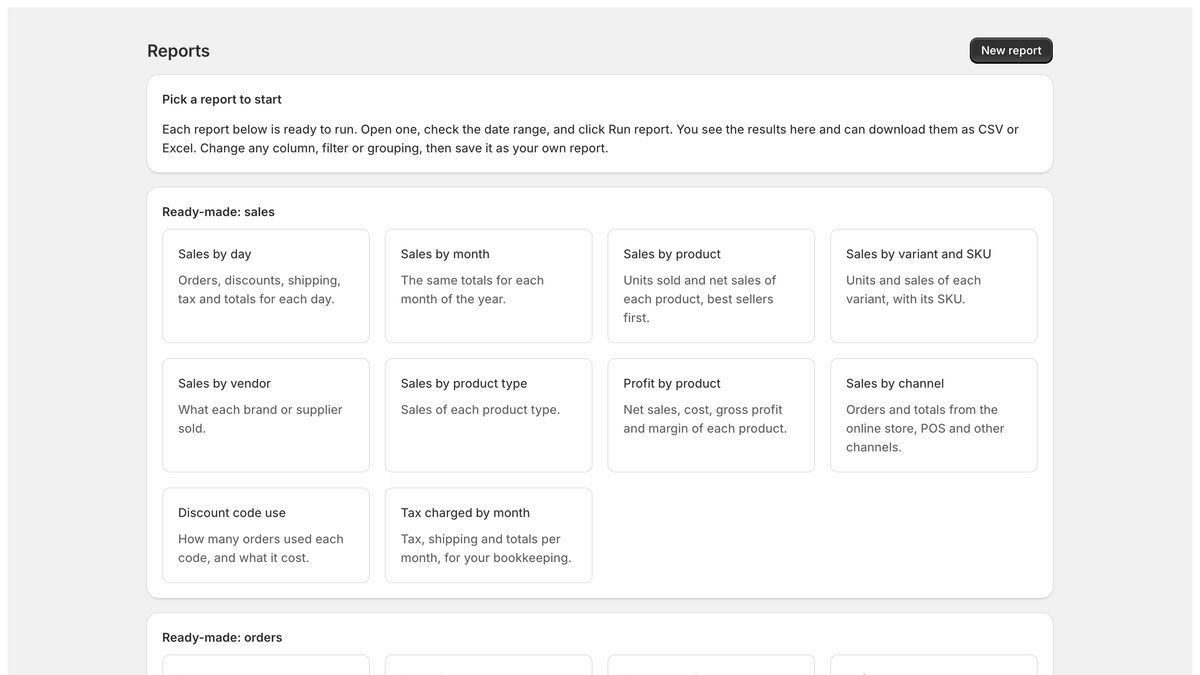
Start from a ready-made report
23 reports are ready to run: sales by day, product, vendor or channel, profit by product, order and order-line exports, stock by location, low stock, top customers and more.
Change anything
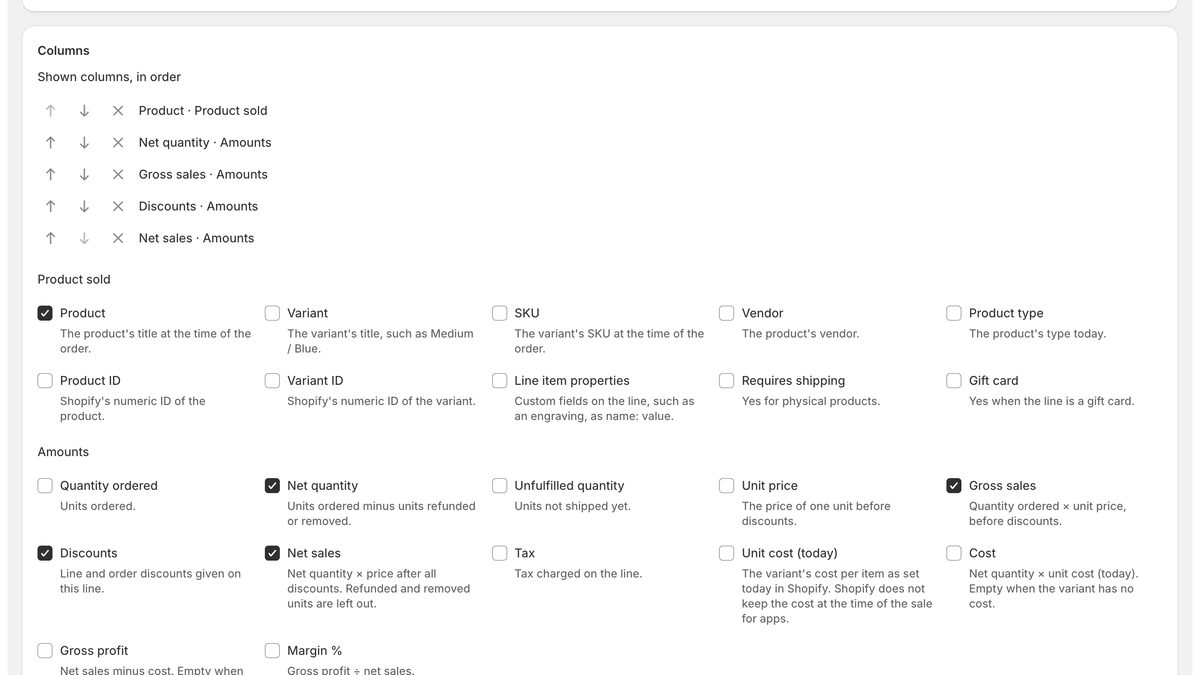
Pick the columns, filters and date range. Group rows to add them up, for example one row per product. Each column says in plain words what it means.
Download, or get it by email
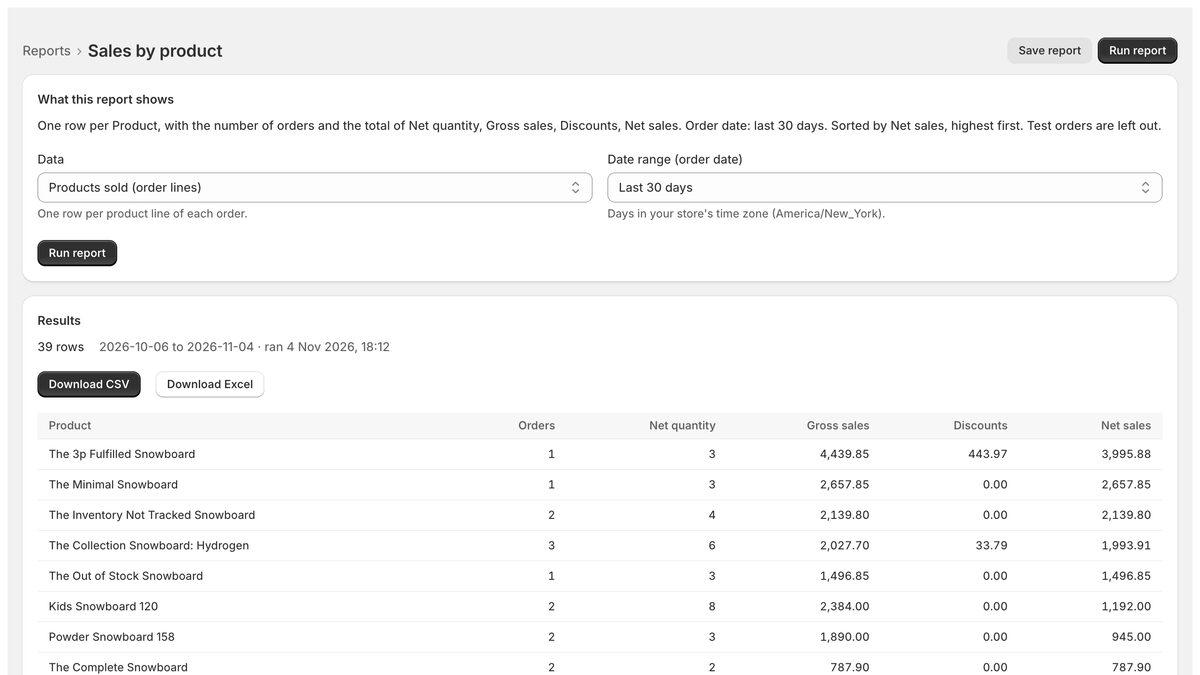
See the results with a total row, then download CSV or Excel. On Pro, save the report and get it every day, week or month.
What the big report apps do, for one low price
Orders and products sold
Every order or every order line, with amounts, discounts, tax, refunds, channel, tags and note attributes.
Profit and margin
Net sales, cost, gross profit and margin per product, vendor or day.
Stock and stock value
Available, on hand, committed and incoming units per location, valued at cost or price.
Customers
Orders, amount spent, average order value and last order, with name, email and address when you need them.
Group, filter, sort
One row per product, day, week, month, vendor or country, with totals that add up.
Scheduled reports
Daily, weekly or monthly runs, with a download link sent by Shopify Flow.
Simple pricing
Free
$0
- Every report and column
- Results, totals and grouping in the app
- Downloads of the first 500 rows
- 3 saved reports
Pro
$7.99 / month
- Downloads of every row
- Any number of saved reports
- Scheduled reports by email, through Shopify Flow
- The same price on every Shopify plan
14-day free trial
Billed through Shopify. Change or cancel any time from the app.
Questions
What can Tabula report on?
Orders, the products sold in each order, products and variants, stock at each location, and customers. Each comes with columns you can tick, filters, grouping and sorting. The help page lists every column and what it means.
How do scheduled reports reach me?
On Pro, a saved report can run every day, every week or on the 1st of each month. When it is ready, Tabula starts a Shopify Flow trigger with a download link, and Flow's free Send internal email action sends it to you. You set up the workflow once; the help page has the steps.
Does the price change with my Shopify plan?
No. Pro is $7.99 a month on every Shopify plan, with a 14-day free trial.
Where do the numbers come from?
From your Shopify store, read when the report runs. Tabula shows Shopify's own values and never changes anything in your store. Profit uses the cost per item set on each variant.
What happens to my data?
Tabula reads your store's data only to build the reports you run. Report results are kept for 7 days so you can download them, then deleted. When you uninstall, Shopify asks Tabula to delete everything it holds about your store, and it does. The privacy policy has the details.
Something else? Email support@tidymerchant.com.
Run your first report in a minute
Install Tabula, pick a ready-made report, and click Run.